
Open betaiOS-firstApproval-first800+ integrations
SelaraYour Personal Assistant
Your time, finally yours. Selara turns what you say into a plan you can see — and never touches your calendar, mail, or tools until you approve.
Shows the plan before it actsVoice, calendar, documents, memoryYou approve what leaves the device
Approval-firstConsequential actions stay visible until you say go.
Why Selara
A personal assistant for people whose time is too expensive to keep bleeding into admin.
Selara is an iOS-first assistant: voice, calendar, documents, and automations — with a visible plan before anything leaves your control.
How it works
Tell Selara what you need. Watch it become a plan. Approve what matters.
Intent becomes a sequence you can read. You stay in control when the stakes are real.
01
Say it naturally
Talk the way you already talk to a chief of staff. No command syntax, no prompt theater.
02
See the plan
Selara turns intent into a visible sequence. Nothing consequential hides behind an opaque step.
03
Approve what matters
When the stakes are real, Selara stops and hands you a clean approval — edit, reject, or go.
04
Get the time back
The result is not more AI output. It is cleaner weeks, fewer dropped follow-ups, less admin residue.
In the product
The surfaces you will actually live in.
Chat, schedule, and navigation — shown the way the app really looks, not a fictional dashboard.
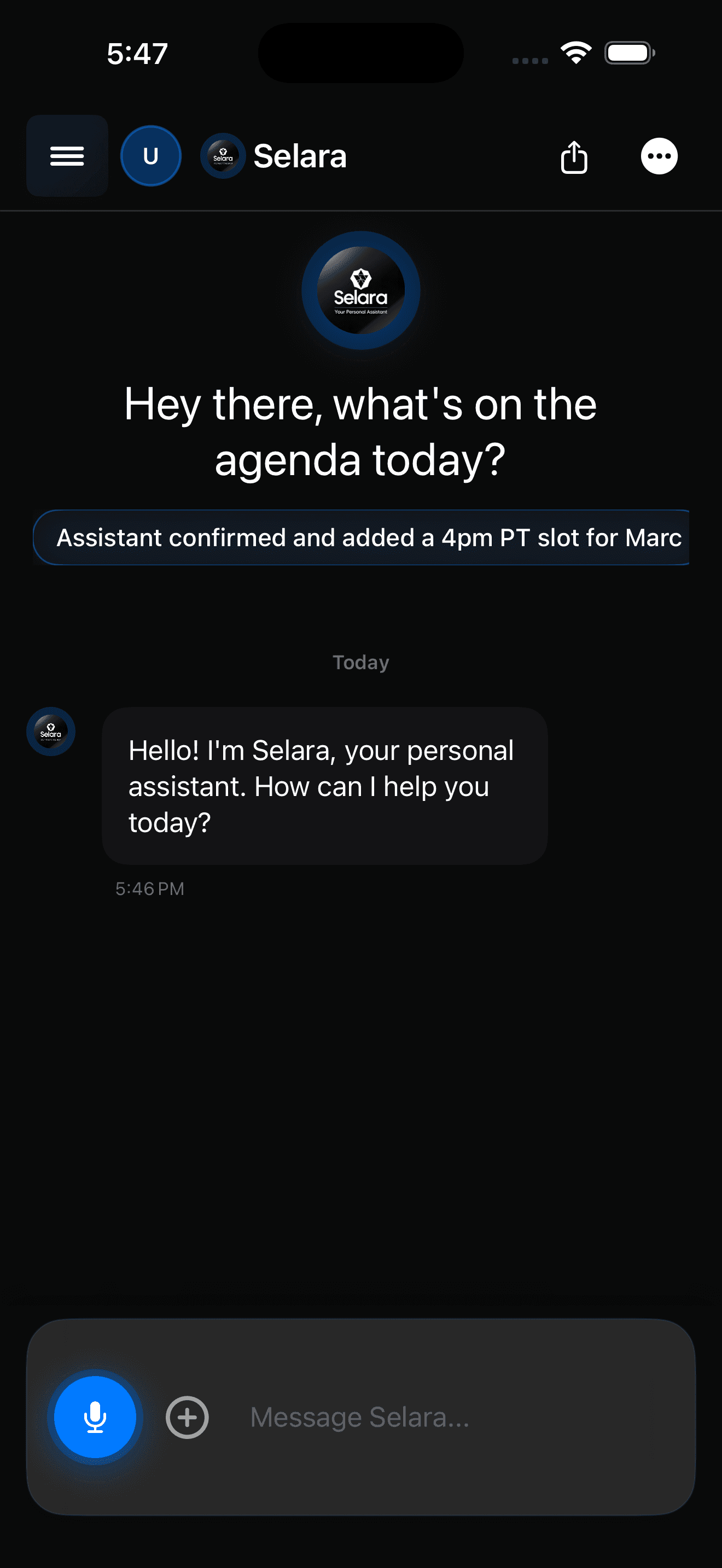
Chat
Delegation that stays human
Memory, voice, and follow-through live in one calm thread — so the assistant feels like a partner, not another inbox.
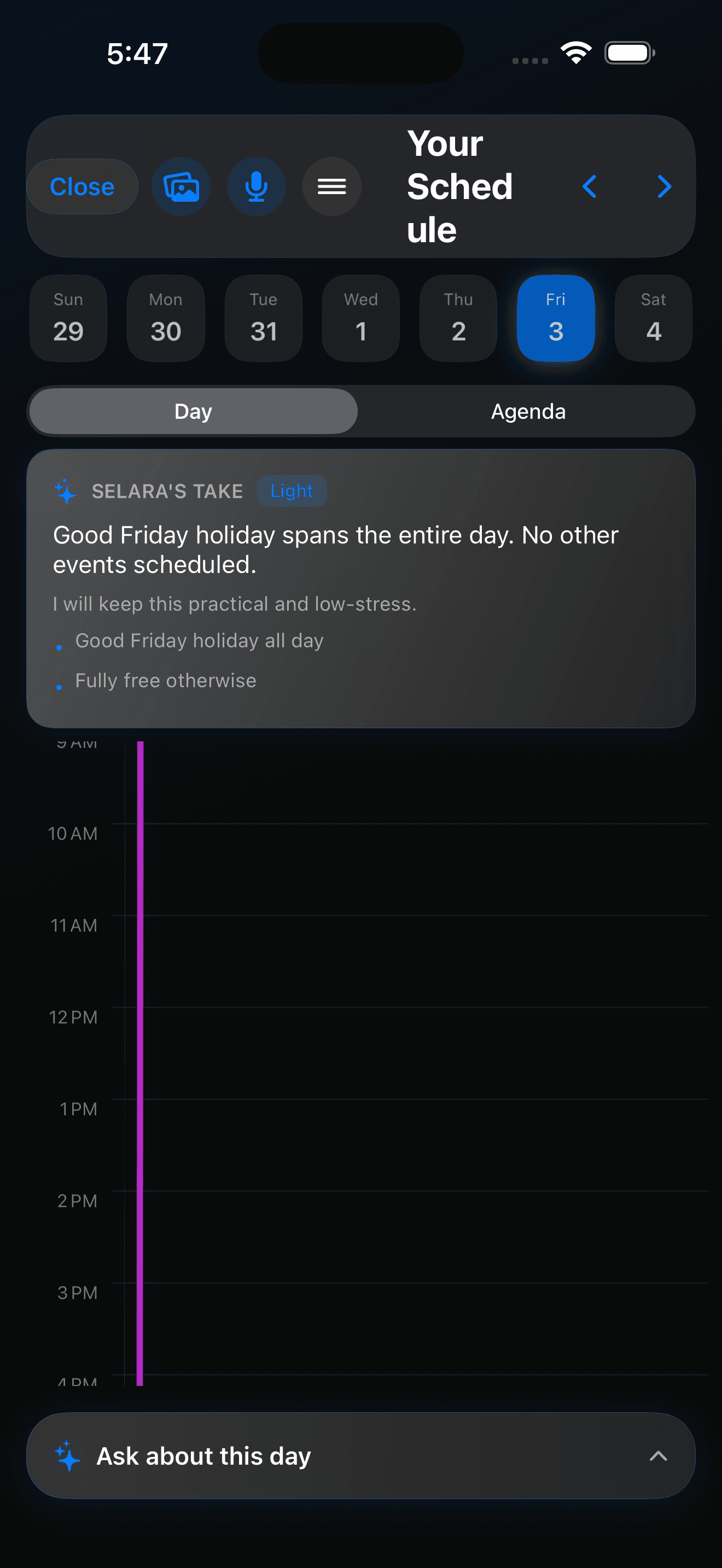
Schedule
A calendar that explains the day
Selara layers context and recommendations onto the week so your day feels interpreted, not merely listed.
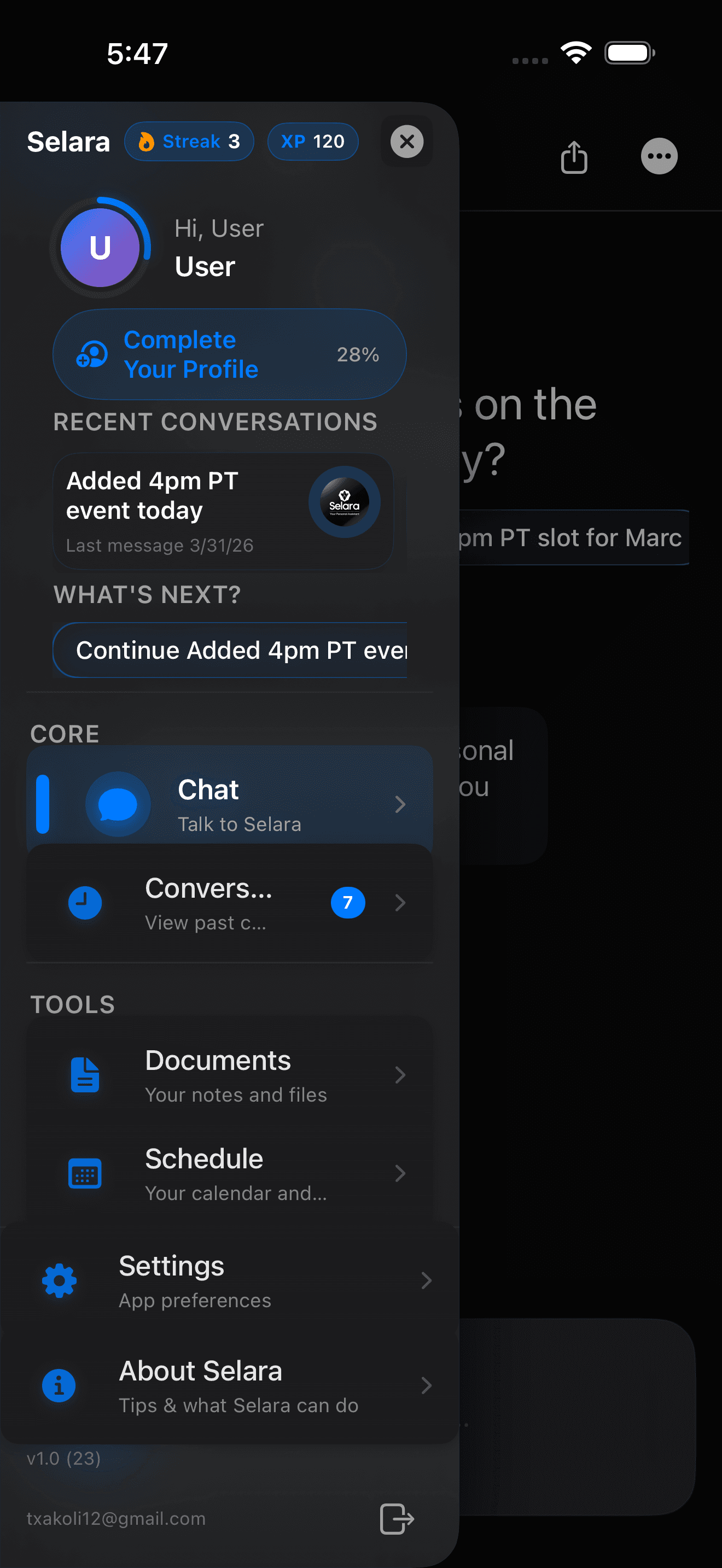
Navigation
Every surface one gesture away
Chat, conversations, documents, schedule, and settings stay in one sidebar instead of buried under tabs.
Trust
Conversation and approvals, treated like they belong in a serious product.
When automation can change your calendar or messages, the interface should feel steady.
Approval-first
Power without the anxiety that usually comes with it.
Selara shows a clear plan before anything touches your calendar, inbox, or connected tools. You approve, edit, or reject with full visibility into what changes next.
Live sequence
Capability
One assistant. Calendar, voice, memory, mail, automations.
Breadth without losing the thread. Every surface still waits for you when it counts.
Schedule
A calendar that explains the day, not just lists it.
Context, recommendations, and follow-up live on the week itself.
Voice
Talk like a human. Get a plan back.
Capture intent between meetings. Review it before anything sends.
Voice assistantTrust
Approvals are the product, not a modal.
Consequential actions stay in your hands.
Privacy-first AISchedule
Calendar intelligence
Move meetings, protect focus, draft reschedules, and make the week look intentional again.
Learn moreVoice
Voice that delegates
Capture intent in motion. Selara turns spoken requests into plans you can actually review.
Learn moreContext
Memory and documents
Preferences, files, conversations, and recurring patterns compound instead of resetting every chat.
Learn moreAutomations
Supervised automations
Plug into the stack you already use. Automate the repetitive parts without losing oversight.
Learn moreTrust
Privacy as behavior
Approvals, transparency, and boundaries you can feel — not a policy page pretending to be a product.
Learn moreEmail with judgment
Draft, triage, and close loops. Consequential outbound mail stays visible until you send it.
Learn moreEcosystem
Connected to the stack you already live in.
800+ integrations so the assistant can move through tools you already trust.
Google CalendarGmailGoogle DocsGoogle DriveSlackNotionLinearApple CalendarRemindersMapsContacts800+ moreGoogle CalendarGmailGoogle DocsGoogle DriveSlackNotionLinearApple CalendarRemindersMapsContacts800+ more
Vs OpenClaw
Same category. Different philosophy.
Selara is for people who want power to feel calm and legible — not chaotic or black-box.
CategorySelaraOpenClaw
Operating philosophyDeliberate, approval-first, premium craftSpeed-first automation, minimal guardrails
Before external actionsIntent and steps shown for reviewOften acts with less up-front visibility
Product experienceCalm iOS-native hierarchy, tight motionUtility-first layout and faster iteration
What each optimizes forTrust, legibility, and control under powerThroughput and capability surfaced quickly
Pricing
Select, Premium, and Pinnacle.
Monthly or yearly. Yearly billing is ten months of the monthly price.
Select
$25/mo
$250/year if billed yearly
Intelligent AI agents across all contexts. 800+ integrations, voice interaction, persistent memory, and large usage limits.
- Voice interaction
- Persistent memory
- Large usage limits
- 800+ integrations
- AI agents across contexts
Premium
Most popular$45/mo
$450/year if billed yearly
All models, all integrations. Intelligent voice synthesis & transcription, expanded memory & higher rate caps, holistic life management, and SpouseConnect — a shared assistant with your partner.
- All models
- All integrations
- Voice synthesis & transcription
- Expanded memory
- Higher rate caps
- SpouseConnect
Pinnacle
$110/mo
$1100/year if billed yearly
Force Multiplier — link to a team member's account. Premium voice, no rate or memory limits, most powerful models only, early access, and FamilyConnect for the household.
- Premium voice
- No rate limits
- No memory limits
- Most powerful models only
- Early access
- FamilyConnect
FAQ
Answers before you need to ask.
Pricing, behavior, and billing — in plain language.
What makes Selara feel different?
Behavior, not buzzwords. Selara understands context, shows the plan before it acts, and asks for approval when something actually matters — so automation feels trustworthy, not reckless.
Are the prices shown here accurate?
Yes. Select, Premium, and Pinnacle match what we publish. Yearly billing is ten months of the monthly price. Checkout runs through our secure billing flow.
How do subscriptions and billing work?
Subscribe monthly or yearly. Manage your plan, renewal, and payment method from your account. If you need help, use the support email in the footer.
Can I change plans later?
Yes. Upgrade or adjust as your workload changes — the assistant should grow with you, not lock you in.
Is the marketing site public? Do I need an account to read this?
The marketing site is public. No login wall. Download and in-app features may require an account; browsing selara.app does not.
What platforms are supported?
Selara is iOS-first in open beta. Platform availability can expand; the download page always reflects the current path in.
Open beta
Reclaim your time with an assistant you can trust.
Join the open beta and see approval-first automation, calendar intelligence, and voice-native control in one iOS assistant — built for people who cannot afford careless mistakes.